Security Not My Problem: Exploiting SNMP for Massive Reconnaissance
Mining Network Devices for Critical Information using SNMP Vulnerabilities
Introduction: The Overlooked Goldmine
When performing a penetration test or taking the CEH exam, most students rush to scan for web servers (Port 80/443) or SMB shares (Port 445). However, there is a quiet service running on UDP Port 161 that often leaks more information than the rest of the network combined.
This is SNMP (Simple Network Management Protocol).
Network administrators use SNMP to monitor devices. They use it to ask routers, printers, and servers questions like:
- “How much disk space is left?”
- “Is the CPU overheating?”
- “What processes are running?”
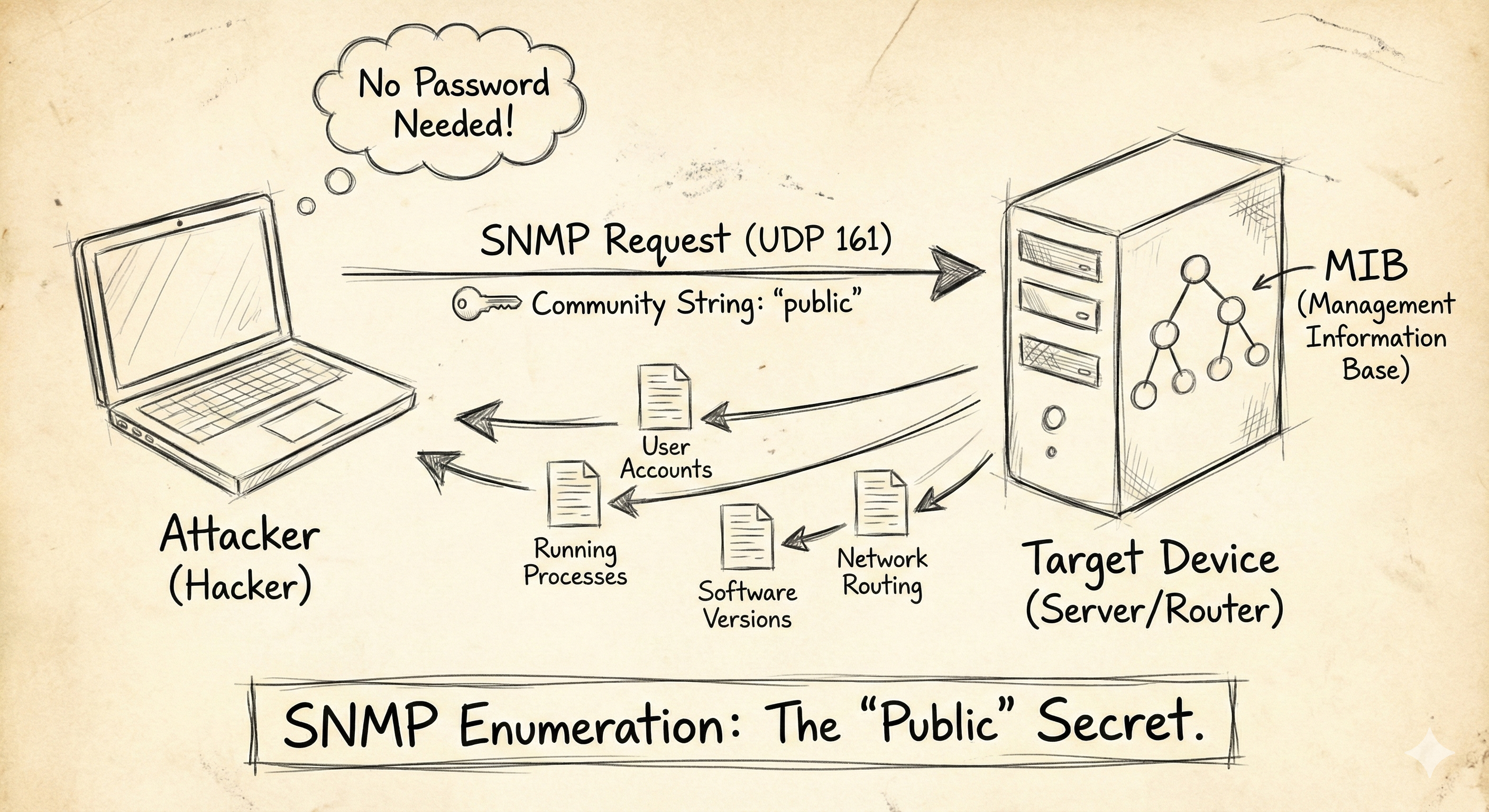
To a hacker, the answers to these questions are a map of the target system. If misconfigured, SNMP can provide a list of every user account on the box, the exact software versions installed, and the internal IP routing table—all without a single password.
The Mechanism: Managers, Agents, and OIDs
To exploit SNMP, you must understand three concepts:
- The Agent: The software running on the target device (Router/Server) that holds the data.
- The Manager: The computer (Admin or Attacker) asking for the data.
- The MIB & OIDs: The database structure.
- SNMP doesn’t use file names. It uses Object Identifiers (OIDs).
- An OID looks like this:
1.3.6.1.2.1.1.1.0. - To the computer, that number string might mean “System Description.”
The Vulnerability: Community Strings
SNMP versions 1 and 2c (still widely used) do not use usernames or complex encryption. They use a simple password called a Community String.
There are two types of strings:
- Read-Only (RO): Allows you to look at data.
- Read-Write (RW): Allows you to change configurations (very dangerous).
The Flaw: Almost every device ships with the default Read-Only string set to “public” and the Read-Write string set to “private”. Administrators rarely change these.
If you can guess the community string (or if it is “public”), you become the System Administrator for that device.
The Attack: Enumeration via SNMP
In a CEH lab environment, you will often find a Windows Server or Linux machine with SNMP enabled. Here is how to mine it for data.
1. Scanning for the Service
Since SNMP runs on UDP, standard Nmap scans might miss it unless you specifically specify UDP scanning.
1
2
nmap -sU -p 161 192.168.1.10
2. Brute Forcing the Community String
Before we can ask questions, we need the password. Tools like onesixtyone are incredibly fast at this.
1
2
3
# onesixtyone -c [dictionary] -i [target_ip]
onesixtyone -c /usr/share/doc/onesixtyone/dict.txt 192.168.1.10
If it returns “public”, you are in.
3. Walking the MIB (Data Extraction)
Now we use the tool snmpwalk to ask the server for everything it knows.
Command:
1
2
snmpwalk -v 2c -c public 192.168.1.10
What to look for in the output: The output will be thousands of lines long. You are hunting for specific gems:
- User Accounts: You will often see a list of all local Windows users (e.g.,
Guest,Administrator,BackupAdmin). You now have a username list for a Brute Force attack. - Running Processes: You might see
avp.exe(Kaspersky Antivirus) orsqlservr.exe. This tells you exactly what defenses are running. - Software Versions: “IIS Version 7.5”. You can now search Exploit-DB for vulnerabilities specific to that version.
4. Automated Enumeration (Snmp-Check)
Reading raw OIDs is tedious. The tool snmp-check formats the data into a beautiful, human-readable report.
1
2
snmp-check 192.168.1.10
This will categorize the output into “Users,” “Network Information,” “Processes,” and “Installed Software.”
The “Write” Danger
If you discover a Read-Write string (often “private”), the attack escalates from Enumeration to System Compromise.
With Write access, you can:
- Change the router’s configuration to redirect traffic.
- Reset passwords on certain older devices.
- Shut down network interfaces.
Defense: Turning off the Tap
- Disable SNMP: If you don’t use it, turn it off. It is often on by default in printers and IoT devices.
- Change Community Strings: Treat “public” like a default password. Change it to a complex alphanumeric string (e.g.,
Xy9#mP2!v). - Upgrade to SNMPv3: Version 3 adds proper encryption and user-based authentication, making the “community string” attack obsolete.
- Firewalling: Block UDP Port 161 from the Internet. Only your internal management server should be allowed to talk to it.
Summary for the Exam
- Port: 161 (UDP).
- Default Strings: “public” (Read Only), “private” (Read/Write).
- Tools:
snmpwalk,onesixtyone,snmp-check. - Goal: To obtain user lists, process lists, and network topology maps without authentication logs.
This is one of the highest “Return on Investment” attacks in the enumeration phase. One simple string can reveal the secrets of an entire server.